Your tools, your way
Keep the tools you love. Coffee Brain keeps up.
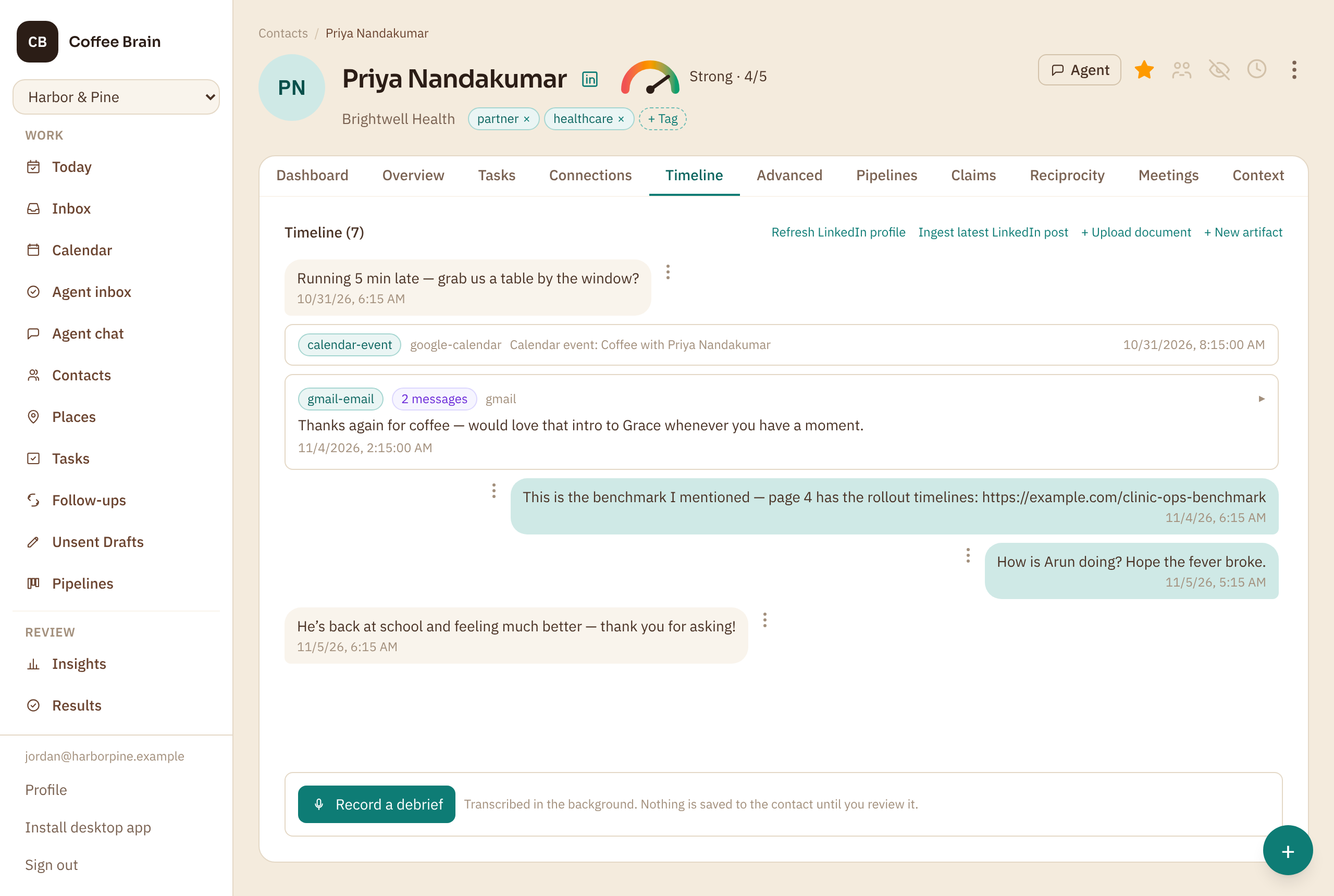
You might email someone about a project, send them a link on LinkedIn, and text to ask about their sick kid. A CRM wants all of that typed into its own screens. Coffee Brain lets you connect the channels you already use and keep using them exactly as you like — it notices what happens and adds it to each person’s timeline.
Included in the Starter plan. Compare the plans
Why it matters
A rigid CRM makes you work its way
Relationships happen across many tools, chosen by the person and the moment. Most CRMs only work if you move all of it into theirs.
A second-rate inbox
Its messaging screen is never as good as the email client you chose, and it is worse on a phone.
Double entry
Every text, call and LinkedIn message has to be logged by hand, or the record quietly falls behind.
One process for everyone
A fixed way to build a network and talk to it, whether or not it fits how you and the people you know actually work.
How it works
Your tools, your way in three steps
- 1
Connect what you already use
Email, calendar, LinkedIn, WhatsApp, text messages, Slack and your meeting note-taker. You choose what to connect, and each one says what it reads before you do.
- 2
Keep working as you like
Write from your own email app, book from your own calendar, message from your phone. Nothing about how you talk to people has to change.
- 3
It all lands in one place
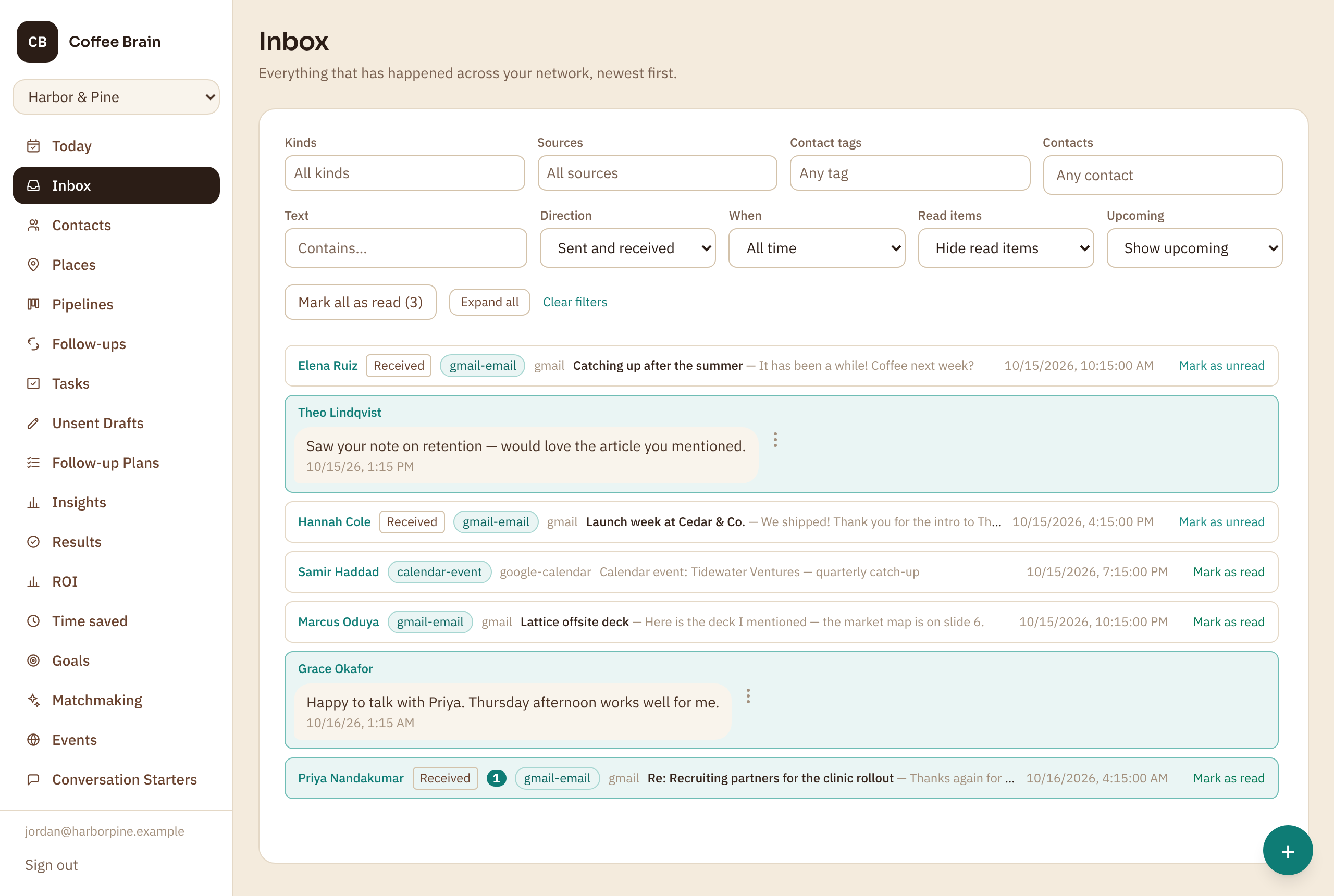
Every email, message and meeting is added to the right person’s timeline and to one Inbox across your network — so their story is complete whichever channel it happened in.
What it does
Flexible where it counts
Every channel, one history
Email and calendar on every plan; LinkedIn, WhatsApp, SMS and Instagram messaging on Pro and Growth — all merged into one timeline per person.
Your own mailbox
When you do reply from Coffee Brain, it sends from your own connected email account, so the thread stays in your sent mail.
The channel they prefer
A draft starts on the channel you last talked on, and you can set each person’s favourite, so you reach them where they actually are.
Right inside LinkedIn and Gmail
The browser extension shows what you know about someone beside their LinkedIn profile or email thread, and logs a follow-up without leaving the page.
Capture by voice
Say “Hey Siri, log a loop” after a coffee and the promise is filed on the right person, without opening the app.
Build your network your way
Tags that mean what you say they mean, pipelines with your own steps, and fields you choose — shaped around how you work, not a template.
Side by side
The difference it makes
An email, a LinkedIn link and a text to the same person, in one week
- In a rigid CRM
- Log the email, paste in the LinkedIn message, type up the text — or leave them out, and the record says you have not spoken in a month.
- In Coffee Brain
- Send them the way you always do. All three are already on their timeline, and the next suggestion knows about every one.
Use cases
When it pays off most
Mixed-channel relationships
Clients on email, partners on LinkedIn, friends-of-the-business on WhatsApp — each person reached where they are, and remembered in one place.
Working from your phone
Text and message from the apps on your phone; Coffee Brain catches up without you opening it.
When the conversation moves
A thread starts on email and carries on in WhatsApp; the timeline follows it without you lifting a finger.
See it
Your tools, your way, inside Coffee Brain
Get started
Work the way you already work
Create an account with just your email, connect the channels you use, and keep using them — Coffee Brain fills in the rest.
Included in the Starter plan. Compare the plans